Swagbucks iPhone App Review
Swagbucks iPhone App helps you earn as you shop online. The app allows you to shop at your favorite shopping place with the convenience of your phone. You can take part in surveys and have up to date news. It helps you find the perfect restaurant or the shop where you can get your dream attire you were looking for. You will get rewarded as you share your opinion. You can share feedback on your shopping experienced, TV shows, movies and more. You can get free gift cards along with great experience. It rewards you with an earning opportunity as you do what you like.
Earn The Extra Cash As You Take Surveys
Swagbucks for iPhone is a simple and straightforward app. You just need to sign up for a Swagbucks account and become a member. You will have to take part in surveys, use the search engine to shop, watch videos and play games to get reward points. The reward points are called as SB which is a digital currency. You can cash out these reward points for Amazon gift cards or PayPal cash.
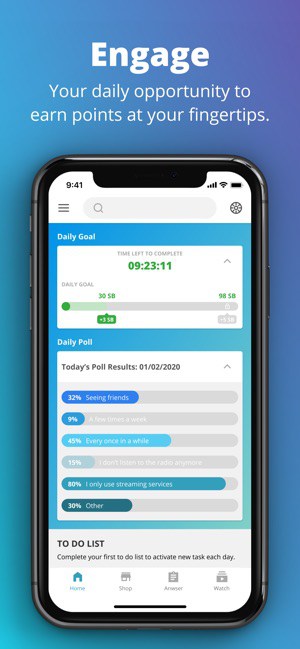
There are paid online surveys that can get you more money. Major brands get the service of this app to get feedback from the customer. You will find survey options in your account. You need to qualify to take part in the survey by answering the pre-qualification survey. There are daily polls and surveys to take part.
Conclusion
Swagbucks iPhone App is a popular survey taking platforms that can help you earn. Since its inception in 2010, the app has garnered 20 million users and have also paid over $400 million as gift cards and cash. The Swagbucks app for iPhone provides a variety of ways to earn with low cash threshold. The app will require your GPS to run in the background and that will decrease the battery life. The app free for download and use. There are no ads placed by the developer. There are no in-app purchases available in the app. The app requires iOS 11.0 and above. It is compatible with iPhone, iPod touch and iPad.
Category: Free iPhone Apps


