SkyBox Scanner – PDF Scanner iPhone App Review
SkyBox Scanner – PDF Scanner app for iPhone that converts your phone into a powerful scanner. You will be able to scan documents, edit, place signature on them and share the documents with others as well. It is a fast, tiny scanner that fits your palm. It becomes very easy when you want to do an optical character recognition and place a signature on digital documents. The app helps you be more productive as you can easily add signatures to any scanned documents. You can do it in just a few taps.
Scan Your Documents With This Powerful Scanner
SkyBox Scanner for iPhone is a simple and user-friendly scanning app that is used to scan and edit documents. The app scans document in JPG or pdf format. The app can also place digital signatures on the scanned documents. The app not just scans, it is also an easy and fast QR scanner to read bar codes and QR codes. The app can scan documents in color, grayscale or black and white. You can also highlight parts of documents. It can automatically detect borders of documents and size the scanned page accordingly. The app can scan as many documents as you want. You can protect the scanned documents with a face ID, Touch ID or a pin code. Sketches, paper notes, articles, business cards, credit notes, rentals and any printed documents can be scanned easily using the app. The scanned documents can be shared using email and messengers.
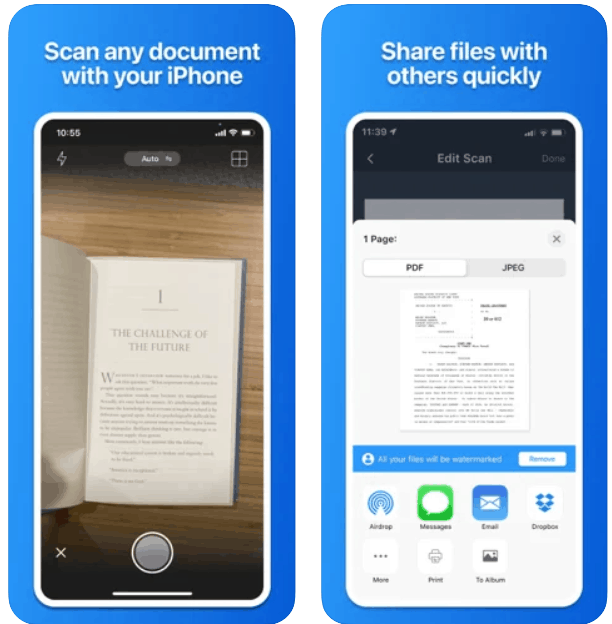
Document Scan, Edit and Sign
SkyBox Scanner for iPhone is one of the best scanning apps that can be used to efficiently scan any kind of documents. It can be business documents, invoices, agreements, receipts, letters, order sheets, IDs and others. The app is free for download and use for a trial period. There are no ads placed by the developer. There are in-app purchases available in the app to subscribe for premium features. The different premium features include text recognition, stamp, watermark, annotation, signature and unlimited number of folders and scans. The app requires iOS 13.0 and above. It is compatible with iPad, iPhone and iPod Touch.
Category: Free iPhone Apps


