Launcher 8 Free Android App Review
Do you want to give your Android phone a bit of Windows flavor? Well, check this one out: Launcher 8 Free for Android. For starters, the app almost exactly replicates Microsoft’s Windows 8 home screen layout and functionality. As the title suggests, you can get Launcher 8 app for free from Google Play Store.
Features
Launcher 8 Free app for Android nearly replicates everything Windows 8 phone has. This includes live, customizable tiles, a customizable start screen layout, and an easily-changeable background style. You can also add widgets as tiles. So, even if your phone has an outward Windows 8 look and feel, it is still Android at heart. Of course, you can choose from various lock screen styles, themes, and colors. Simply swipe to the left of the screen to reveal an apps page wherein the apps are arranged alphabetically. You can bind your own apps to its stock icons, if required. The best part is that Launcher 8 Free app for Android makes your phone feel like Windows 8. It is smooth, flowing and easy to use sans any app conflicts. The transformation is so perfect that it’ll be tough to tell the difference between a Windows 8 phone interface and the one running this app.
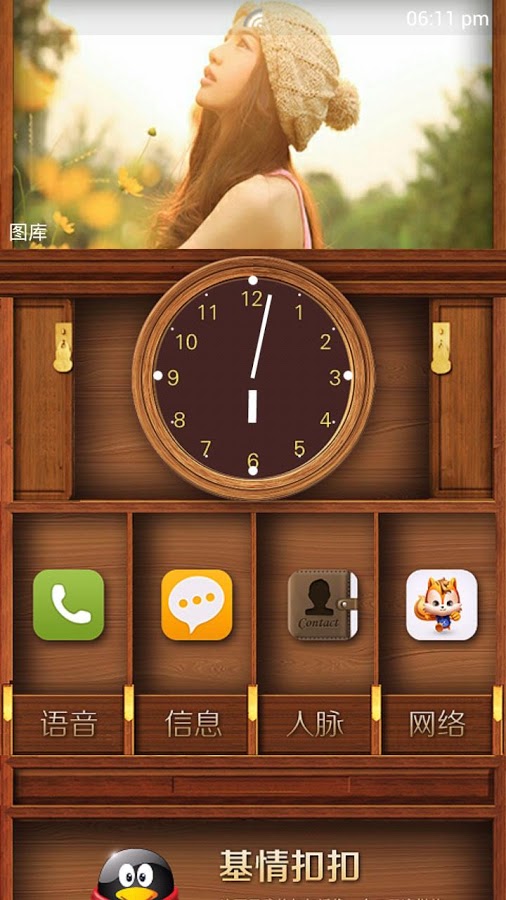
Launcher 8 Free Android app also provides lots of user-made themes that you can use to personalize your phone. In fact, it also let you install fake iOS themes if you want. The color is great while the overall layout is splendid to say the least. But surprisingly, some of the text has been misspelled. If you’re a privacy-serious guy, the permissions required by Launcher 8 Free app for Android might be a turn off. It requests permission to access virtually every part of your phone, and this appears to be a bit strange. Launcher 8 Free app requires Android OS versions 2.3 or higher.
Conclusion
Launcher 8 Free app for Android has successfully managed to create a Windows 8 look and feel to an Android phone. The tiles are smooth flowing and functional. You can add widgets to the tiles so that the usefulness of Android widgets is not compromised. User made themes come handy to personalize the phone. We found some of the misspelled text – such as ‘Recommand’ for “Recommend” – to be a bit perplexing. Even a fifth grade student won’t make this mistake! Check it out if you wish to give a Windows 8 feel to your Android phone, without affecting any of the Android functionality.
Category: Free Android Apps


