Familoop Parental Control Android App Review
Being a parent in this digital age is nevertheless challenging. You got to constantly check and ensure that your child is using your smart phone responsibly. Familoop Parental Control app for Android helps you do just that. It allows you to restrict the areas they could visit, as well as keep tab of their activities in the smartphone. You can download Familoop Parental Control app for free from Google Play Store. But it is only free for trial period.
Features
Using Familoop Parental Control for Android, you can set up web filter, porn blocker and family tracker, know kid’s screen time, frequently used apps and contacts, and monitor what kids’ search. All you got to do is to install Familoop app in your kid’s phone. Of course, you got to have access to the phone to add the device to your account. Once the app is installed, you can control various features such as web filter, porn blocker, safe search and activity tracking. Setting up the app is easy; parents usually won’t find any difficulty in getting it installed in your kid’s smartphone. But there are some settings that got to be manually enabled, such as support for Google Chrome’s incognito mode.
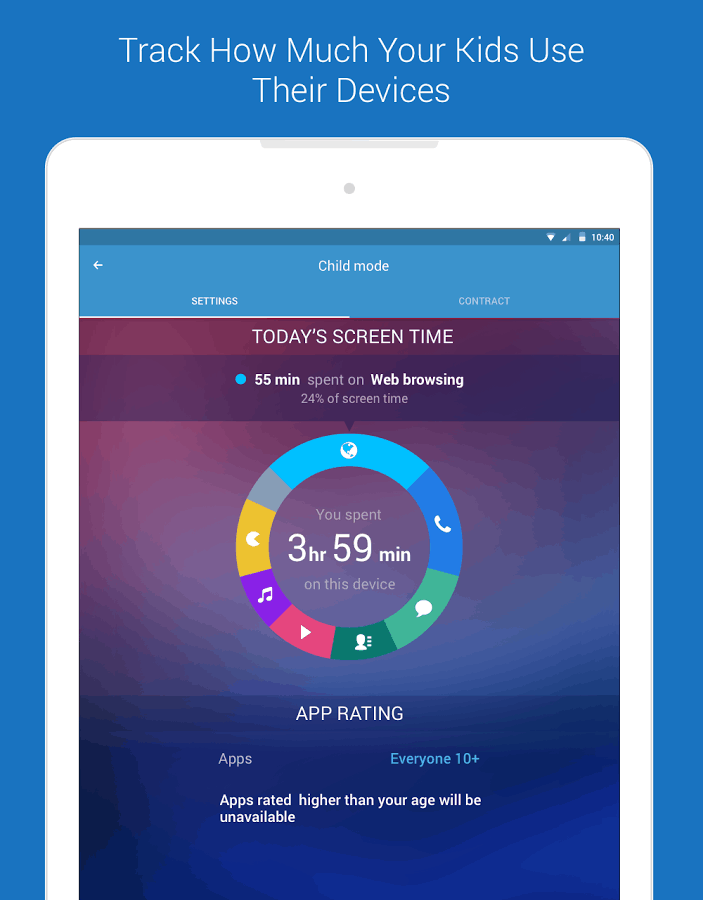
Other notable features of Familoop app for Android include photo tracking, location tracking, ability to track calls and text messages, track child location, and contact monitoring. Regarding tracking child location, the app makes it easy to locate a child and check child location history. It uses geofencing, and the app alerts you when your kid enters dangerous neighborhoods. It is even possible for the parents to limit the amount of time their kids use the smartphone. This feature comes handy as it enables parents to make sure that their child is using the mobile device in moderation. The UI layout is user friendly. The app is also slick and responsive. Familoop requires Android OS 4.2+.
Conclusion
Familoop for Android is a free download. But you require a subscription, once the trial period is over. For most users, the trial period of ten days is enough to make up their mind about the utility of the app. The fee for protecting up to three devices is $4.99/month, while the 10 device plan is available for $9.99 per month. The app is easy to set up and use. The UI is easy to follow. The app is also stable. Give it a try if you are a bit worried about the smartphone usage of your kid.
Category: Free Android Apps


