Google Allo for Android Review
Google Allo is a new chat app for Android (and iPhone) with built-in Google Assistant. It does the things you expect of a typical messaging app while the Assistant helps you out by quickly providing answers and links to your queries. Google Allo can be downloaded for free from Google Play Store.
Features
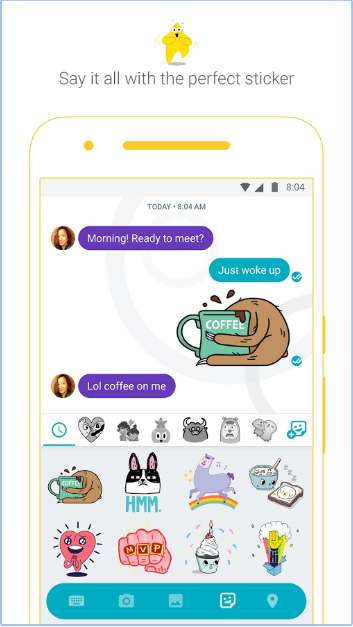
Google Allo for Android has similar features to the messaging apps you know, but has some new ones as well. For one, you can draw on the pics using your fingers (this feature is called Ink), something WhatsApp does not allow you to do. The Smart Reply feature prompts you with potential replies to a receive text/photo so that you can simply choose them if they’re apt rather than having to type a message afresh. Smart Reply learns over time and suggests responses to text and photos, in your style. Like Hike Messenger, Google Allo also comes with a rich collection of stickers – some are animated – designed by independent artists and studios from around the world. They’re expressive and fun and you got a wide collection of them suiting different situations and circumstances. Further, you need no more typing in ALL CAPS to get your point across to the recipient. Say it louder or quieter by changing the size of your text with a quick swipe.
The Google Personal Assistant is a Google Allo only feature in the realm of messaging apps. The Google Assistant, preview edition help you quickly find restaurants nearby, share videos to watch, and get answers, right in your conversation with friends. Last but not the least, Google Allo for Android let you chat in incognito mode if you’re privacy conscious. That is, you can send messages with end-to-end encryption, use private notifications to help keep your chats more discreet, and control how long your messages stick around with expiring chats.
Google Allo has a minimalistic white themed interface that is easy on the eyes. It does not have a contact list for you to maintain either. It piggybacks on the device address book. The contacts that have Allo installed, they will show up on top. Google Allo requires Android OS 4.1 and up.
Conclusion
Google’s messaging strategy need a fresh start, and the result is Allo. The chat aspect is perfectly good at what it sets out to do. Google Assistant sets them apart from WhatsApp or Line. The interface is user friendly as well. But it got to rake up customers in millions to give the market leaders a run for their money. At the moment, it shows lots of promise. Hopefully, Google won’t let Allo languish as they did with Hangouts after the grand intro. Check it out if you’re looking for a new messaging app.
Category: Free Android Apps


