Fingerprint Login: PassKey Password Manager iPhone App Review
Fingerprint Login: PassKey Password Manager & Private Browser for iPhone allows you to login with your fingerprint instead of passcodes. That is, using this app, you can set up fingerprint security to any app. Only thing is that your iPhone should have iOS9 + TouchID for good performance. Fingerprint Login: PassKey Password Manager & Private Browser with Privacy Keyboard Apps Lock app Review for iPhone can be downloaded for free from iTunes App Store.
Features
In order to set up Fingerprint Login for iPhone, you got to first add the app in iPhone settings (I.e. Settings app>General>Keyboards>Add New>PassKey). Now, open the PassKey Apps Lock Privacy Keyboard in any app to lock it, and scan your fingerprint to lock the app. Next time the app is opened, Fingerprint Login’s Apps Lock Privacy Keyboard will require your fingerprint to unlock the app. In case, login and password are required to open a particular app, the Fingerprint Login’s Privacy Keyboard will autofill the text boxes once your fingerprint is scanned. It should be noted that ‘Full Access: ON’ is required by Apple to enable TouchID. To lock other apps, the PassKey Apps Lock Privacy Keyboard must be left open & then close the app you are locking. When the app is opened again, the Apps Lock Privacy Keyboard will prompt for your fingerprint. The app takes data security quite seriously. All data is encrypted and Fingerprint Login never has access or shares data with third parties.
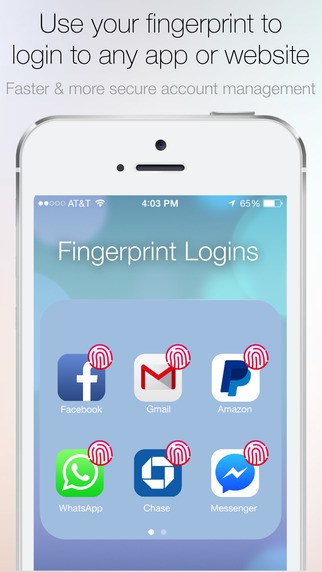
Fingerprint Login iPhone app has got a user friendly user interface. It is pretty easy to set up your fingerprint as passcode. We found the app to be pretty stable and responsive as well. Fingerprint Login app requires iOS 7.0 or later, even though Touch ID requires iOS8.0 or later.
Conclusion
Fingerprint Login app for iPhone allows you to set up your fingerprint to login to apps instead of passcodes. It is easy to set up your fingerprint for any app. Once you set up the fingerprint, the next time your open the app, the Apps Lock Privacy Keyboard will prompt for your fingerprint. The app UI is easy to use. It is also slick and responsive. Check it out if you want to simplify your login process to various apps using your fingerprint.
Category: Free iPhone Apps


