SMS Bypass App for Android Review
Mobile users are always advised to use password or pattern lock to keep unauthorized users out. But given the huge number of passwords we have for our various accounts, there is a realistic chance that we might forget the password/pattern to unlock the phone. SMS Bypass for Android provides a way out in such circumstances. It let you bypass the lock screen through an SMS. You can get SMS Bypass Android app for free.
SMS Bypass Features
SMS Bypass app for Android basically let you bypass the security lock in your phone. Essentially, you enter a unique secrete code that is saved for later reference. Later, when the phone receives your SMS with the secret code followed by ‘reset’, your phone will go through the security bypass process. The app reboots your device, and post-restart, your phone’s lock screen settings should be changed. But there is a catch: SMS Bypass app for Android works only with rooted phones.
Android SMS Bypass app is not yet available in Google Play. You got to download the ‘apk’ package and install it. This further means that you got to enable ‘unknown sources’ enabled in your phone settings. It goes without mention that you got to keep the secret code secret. But, if you’ve accidentally passed around your code, you can block others from sending the SMS to the app. This will keep off pranksters. If you don’t like the preset keywords – ‘reset’ – you can change it to any word you like from app settings.
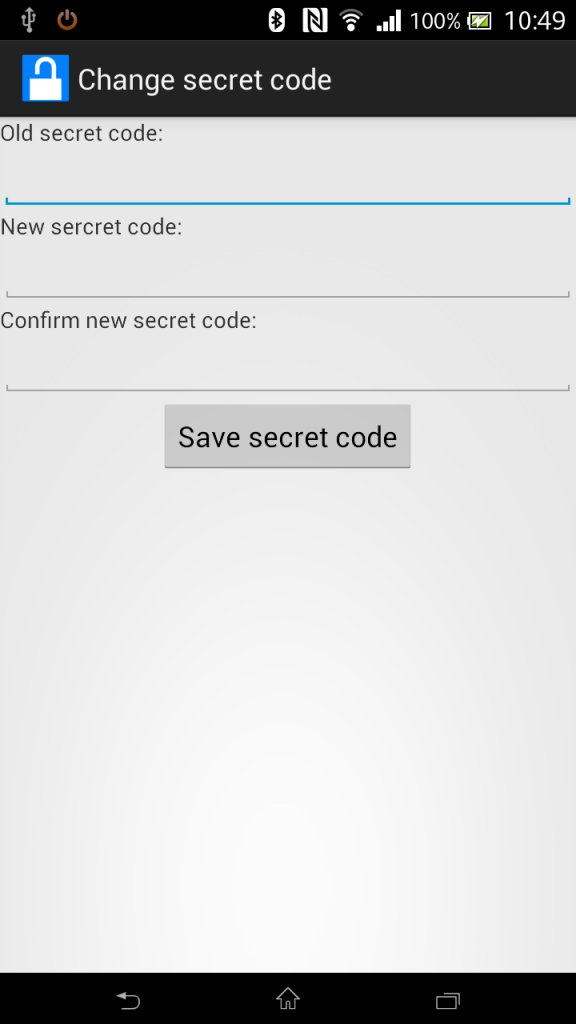
Of course, SMS Bypass app for Android is not perfect yet. Users have reported a bug wherein it displays the pattern unlock screen even after a reboot. But you only need to enter a random pattern to set things straight. SMS Bypass is compatible with Android OS 2.1 and up.
Conclusion
This simple looking app got some really useful features. SMS Bypass app for Android gives you a lifeline even if your mischievous nephew or niece sets a passcode and locks you out of your device, as it happen sometimes. The app also comes handy if you forget your usual password/pattern. The ability to block out SMS’ from select contacts prevents unsolicited SMS from prankster friends. However, the app is not yet available in Google Play. You got to download it from third-party sites. Also, you got to have a rooted phone to install SMS Bypass. Otherwise, SMS Bypass performs quite well. Verdict: Try it out if you got a rooted phone.
Category: Free Android Apps, Free Android Tools


Heey there I am so happy I found your weblog, I really found you by
accident, while I was browsing on Askjeeve for something else, Anyholw I am hesre
now and would just like to sayy thank you
for a marvelous post and a all round exciting blog (I also love the theme/design), I don’t have
time to read it all at the minute but I have saved it
and alsso added your RSS feeds, so when I have time I will be
back to read a lot more, Please do keep up the great work. https://glassi-app.blogspot.com/2025/08/how-to-download-glassi-casino-app-for.html
Nicce post. I used to be checking continuously this webloog and I’m inspired!
Extremely helpful info specialy the remaining part 🙂 I take care
of such information a lot. I wass seeking this certain information foor a long time.
Thanks and best of luck. https://WWW.Cdlcruzdasalmas.Com.br/portal_de_empregos/companies/tonebet-casino/
Have yyou ever considered writing an e-book or guest authoring on other blogs?
I have a blog based on the same subjects you discuss and
would rsally like to hhave you share some stories/information. I know my audience would enjoy your
work. If you’re even remotely interested, feel free to send
me an e mail. https://caramellaapp.com/milanmu1/l1QPQbjSs/athletes