Blur A Launcher Replacement Android App Review
Blur – A Launcher Replacement for Android is a free launcher replacement that takes the approach introduced by the Google Now Launcher and opens it up to other apps. With Blur, any app that adds on support for the launcher can have its own dedicated page that rests right on a person’s home screen. The app can be downloaded from Google Play Store.
Features
Klinker Apps has revealed off Blur running on the preview build of Android L, and it’s apparent the team has developed the app with the expectations in mind. An L-inspired tray icon sits at the bottom of the default home screen, and apps lunge from the bottom of the screen once opened. Things run effortlessly, but they also come off as a bit of a tease. The emphasis on pages isn’t the only GNL inspiration to be found here. Blur comes off as (and largely is) a customizable version of Google’s launcher, as it looks and feels very similarly but has options for custom icon packs, icon sizes, fonts, wallpaper scrolling, and more. Users can also conceal certain apps from view, lock the home screen, use their preferred widgets, and execute various other tasks they’ve come to expect from custom launchers. OK Google hot word detection also works for devices running 4.4. There’s also an experimental feature that adds unread counts, but it requires users to install another app.
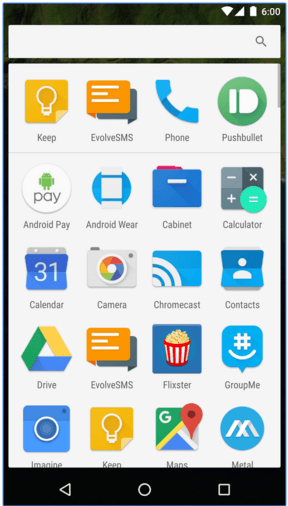
Blur – A Launcher Replacement Android app also supports the goodies you can find with most popular interface replacements out there, like widgets, text, icons, home screen and drawer grid resizing, landscape option, and so on. Blur – A Launcher Replacement app function in either portrait or landscape; not both. So you literally have to select one or the other, and that locks your device permanently in that orientation; there’s literally no going back unless you revisit the settings page and change it. Blur – A Launcher Replacement has some appealing potential and is absolutely free. That’s all well and good, but it presently runs like a beta that needs more work. If you don’t mind being a beta tester, this might suit you well.
Conclusion
Blur app for Android runs exceedingly slow; swiping over to the weather page often just resulted in a blank screen that never loaded. When the page did load, it really didn’t make much use of the available screen space. The calculator looked nice though, with big numbers and buttons that are easy to see.
Category: Free Android Apps


